




A trademark application in India is filed online through the IP India e-filing portal using Form TM-A. The application number is generated upon successful payment. Key filing choices, including applicant name, class, and goods description, are difficult or impossible to change after submission, making accuracy at the filing stage the most cost-effective investment. For the full context on eligibility, class strategy, and what registration gives you, see the complete guide to trademark registration in India.
This guide applies to filings made through the IP India e-filing portal under the Trade Marks Act 1999 and the Trade Marks Rules 2017, as amended. It reflects portal behaviour and procedural requirements verified as of April 2026. Filing choices made on Form TM-A carry permanent consequences: the entity named as applicant, the fee category selected (see the trademark registration fees guide for the full applicant-category breakdown), the goods and services description entered, and the signing method used each lock in at submission. This guide covers every step, names the consequence at each decision point, and flags the points where a mistake costs more to fix than a professional would have charged to get it right.
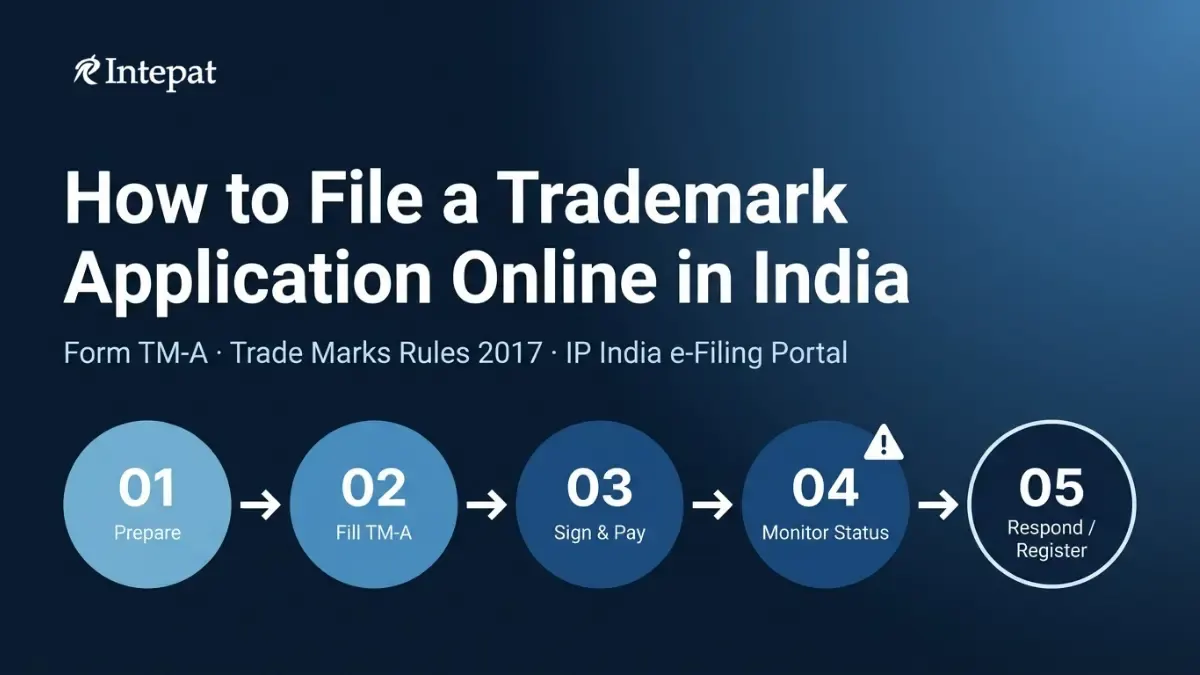
What Is Form TM-A and Why Is It Used for Trademark Filing in India?
Form TM-A is the prescribed application form for trademark registration under the Trade Marks Rules 2017, corresponding to Entry 1 of the First Schedule. It replaced Form TM-1, which was prescribed under the Trade Marks Rules 2002. Any guide or checklist that refers to Form TM-1 is outdated. The current form covers all standard trademark registrations, including wordmarks, device marks, series marks, collective marks, and certification marks, under a single prescribed format.
The statutory authority for filing is Section 18(1) of the Trade Marks Act 1999, which permits “any person claiming to be the proprietor of a trade mark used or proposed to be used by him” to apply for registration in the prescribed manner. Form TM-A is that prescribed manner. It is filed exclusively through the IP India e-filing portal at ipindiaonline.gov.in. For a complete overview of the trademark registration process in India, covering everything from pre-filing search through to certificate issuance, see the linked guide.
One point that every first-time applicant needs to understand before touching the form: Form TM-A is a legal declaration. Every field entered becomes part of the permanent application record and may be cited in examination proceedings, opposition proceedings, and infringement disputes. Corrections after submission require a separate application on Form TM-M under Rule 37, and some corrections are not permitted at all under the proviso to that Rule. The accuracy obligation begins at the first field, not at the review stage.
Who Files, and Which Portal User Type to Choose
The three portal user types
The IP India e-filing portal offers three user types at the registration stage: Proprietor, Agent, and Attorney. This selection determines who signs the application, what forms must accompany it, and who bears the legal responsibility for statements made in the application.
A Proprietor is the trademark owner filing directly without any representative. No separate authorization form is required. The applicant signs the application personally.
An Agent is a Registered Trade Marks Agent filing on behalf of the applicant. Authorization must be executed in Form TM-M under Rule 19 of the Trade Marks Rules 2017. Without it, the agent has no authority to sign, and the examiner will raise a procedural objection. The portal requires the authorization to be uploaded via the Attach Documents button before signing is permitted.
An Attorney is an Advocate filing on behalf of the applicant. The same authorization via Form TM-M under Rule 19 is required. The portal pre-populates the agent or attorney details based on the registered account.
The owner-as-applicant decision
The name entered as applicant on Form TM-A becomes the statutory proprietor upon registration. Under the proviso to Rule 37, no amendment is permitted that substantially alters the trademark applied for or substitutes a new specification of goods or services not included in the original application. Changes to the applicant’s identity during pendency are similarly constrained in practice. Once registered, any change of title requires a formal deed of assignment and recording with the Registry under Section 45 of the Trade Marks Act 1999. For a detailed guide to trademark assignment in India, see the linked article.
| Practitioner warning: individual vs company filing |
| A business that operates as a private limited company but files the trademark in the founder’s individual name, often to qualify for the lower individual filing fee of Rs 4,500 per class rather than the company rate of Rs 9,000, will find that the registered trademark belongs to the individual, not the company. The company has no enforceable rights. Correcting this through a formal assignment typically costs more in professional fees and stamp duty than the original fee differential. |
Rule 17(1) of the Trade Marks Rules 2017 requires every applicant to furnish an address for service in India comprising a postal address and a valid email address. Foreign applicants with no principal place of business in India must ensure this field is completed. Without it, the Registrar is under no obligation to send any notice required by the Act or Rules (Rule 17(3)), and any subsequent order or decision cannot be challenged on the ground of non-service.
What to Prepare Before Filing Form TM-A
Mark decisions to make before filing
Two strategic decisions must be made before the form is opened. The first is wordmark or device mark. Filing a device mark locks that specific visual representation into the application. Rule 26(1) requires the mark representation to be clear and not exceed 8 cm x 8 cm. If the brand is redesigned after filing in a way that materially alters the mark, the registration may no longer correspond to commercial use, and a fresh application with a new filing date and fresh fees may be needed. A wordmark protects the word itself regardless of font, colour, or stylisation, and provides broader protection for most early-stage businesses.
The second is class selection. India follows the NICE Classification system (45 classes). The class cannot be changed post-filing without filing a fresh application. Each class requires a separate fee payment. For guidance on selecting the right class, use Intepat’s trademark class search tool and see the guide to filing in multiple trademark classes in India.
The third step is conducting the AI/ML public search before opening the form. The IP India portal offers an AI/ML-powered trademark search tool. The TM-A form contains a declaration field asking whether this search was conducted. The search must be completed separately at the IP India public search portal before the TM-A session is opened. Ticking No when a similar mark is later cited in an Examination Report may influence examiner perception but does not itself determine registrability.
Documents and credentials to gather
Gather these before starting the filing session. The portal does not preserve drafted forms indefinitely; in current portal practice, drafts are typically deleted after 30 days.
For all applicants: mark representation as a JPEG file not exceeding 8 cm x 8 cm (mandatory for device marks, optional for wordmarks); goods and services description drafted specifically; email address and mobile number registered with the e-filing account.
For MSME and startup applicants claiming the concessional fee: Udyam Registration Certificate or Startup India Certificate. The qualifying certificate must be uploaded during the filing session. The fee category cannot be changed after payment. For more on trademark registration for startups, see the linked guide.
For prior use claims: an affidavit testifying to prior use under Rule 25(2) of the Trade Marks Rules 2017. The affidavit must be notarised and must state the date of first use in DD/MM/YYYY format. Documentary evidence of use (invoices, packaging, advertisements from the claimed date) must be attached as exhibits in a single PDF.
For agent-filed applications: the authorization executed in Form TM-M under Rule 19, completed before the session begins. This is attached via the Attach Documents button in the portal. The portal requires the authorization to be uploaded before signing is permitted.
Setting Up Your Signing Method Before Filing
Form TM-A cannot be submitted without a valid digital signature. The portal offers two legally valid signing routes: a Class 3 Digital Signature Certificate (DSC) carried on a USB token, and eMudhra eSign, an OTP-based electronic signature. Both routes work on Chrome and other modern browsers. Choose the signing route before starting the form.
| Feature | Class 3 DSC (USB Token) | eMudhra eSign (OTP) |
| Hardware required | Yes (USB token) | No |
| Installation | Browser Signing Solution (.msi) | None |
| Browser support | Any modern browser including Chrome | Any modern browser including Chrome |
| Authentication | USB token + PIN | eMudhra OTP (mobile) |
| Certificate validity | 2–3 years | 30 minutes (single use) |
| Suited for | Agents, attorneys, frequent filers | First-time or infrequent applicants |
A Class 3 DSC is issued by a licensed Certifying Authority (such as eMudhra, Capricorn, or SafeScrypt) and stored on a USB hardware token. The certificate is valid for 2 to 3 years. A Browser Signing Solution, downloadable from the PKI Network website and installable as a standard Windows application with no Java runtime required, handles the token communication with the browser. Once installed, it runs as a background service on a local port.
| Critical: use the IPINDIA-specific eMudhra registration link |
| Users must register through the IPINDIA-specific eMudhra URL only. The IP India portal displays an advisory that registering through the general eMudhra website creates a subscription plan incompatible with IP India’s portal requirements. An eSign registered through the wrong URL will not authenticate at the signing step. In current portal practice, verified as of April 2026. |
Filling Out Form TM-A: Every Section Explained
Form Detail: class, applicant category, and nature of application
The Form Detail section at the top of TM-A contains three fields that drive the rest of the application. The Class field sets the NICE Classification class. The applicant category dropdown (Individual/Sole Proprietor or Others) determines the fee tier. The Nature of Application dropdown distinguishes a standard Trade Mark from a Collective Mark or Certification Mark. Selecting the wrong nature is a procedural objection ground.
Applicant details and the agent section
The Applicant’s Details section contains the Add New Proprietor button. The name entered here must match the entity’s legal documentation exactly. A mismatch between the application name and company incorporation documents or the partnership deed is a procedural objection ground that requires correction through Form TM-M under Rule 37. The applicant’s nature may be: Individual, Partnership Firm, Body-incorporate (including Private Limited or Limited Company), LLP, Society, Trust, Government Department, Statutory Organisation, Association of Persons, or Hindu Undivided Family.
The Trademark section: mark category and declaration
The Category of Mark dropdown offers: Word mark, Device mark, Colour, Three Dimensional trademark, and Sound. For a wordmark, enter the word or words exactly as they will appear on the register. For a device mark, the graphic representation is uploaded separately.
Goods and services description
The goods and services description is the most frequently objected-to element of Form TM-A. The class heading alone (for example, “all goods in Class 25”) is not acceptable. The Trade Marks Rules 2017 require that the specification correspond to the goods and services published by the Registrar under the NICE Classification, and the Manual of Trade Marks confirms that applications seeking registration for all goods in a class will typically be refused unless justified by actual or intended use. The description must list specific items: “T-shirts, jeans, casual footwear, jackets” under Class 25, not “clothing.” For a guide to distinctiveness requirements, see the linked article.
The description sets the scope of protection permanently. Under the proviso to Rule 37, the specification can be narrowed after filing by amendment on Form TM-M, but it can never be broadened. An overly narrow description loses protection for goods the business actually uses the mark on. An overly broad description draws a Section 9 or procedural objection.
Statement as to use: the fork that matters most
The Statement as to Use section contains two options. “Proposed to be used” covers marks not yet in commercial use at the date of application. No affidavit is required for a proposed-to-be-used application. The prior use option covers marks already in commercial use. If prior use is claimed, the date of first use must be entered in DD/MM/YYYY format and supported by the affidavit filed under Rule 25(2).
Claiming a use date that is earlier than what documentary evidence supports creates a vulnerability in opposition proceedings. A third party who challenges the use claim and establishes that the stated date is incorrect may use that finding against the applicant. The use date is a legal statement, not a marketing estimate.
Trademark Filing Fees in India (2026 Table)
The government filing fee for Form TM-A is set out in Entry 1 of the First Schedule to the Trade Marks Rules 2017. The fee is charged per class and per mark. Verified as of April 2026.
| Applicant Category | E-filing Fee (per class) | Physical Filing Fee (per class) |
| Individual / Sole Proprietor / Small Enterprise / Startup | ₹4,500 | ₹5,000 |
| Partnership Firm / LLP / Pvt Ltd / Public Ltd / Trust / Society / Others | ₹9,000 | ₹10,000 |
To qualify for the concessional rate, an MSME applicant must hold a valid Udyam Registration. A startup must hold a valid Startup India Certificate issued under the DPIIT recognition framework. The qualifying certificate must be uploaded during the filing session. The fee category cannot be amended post-submission. For the complete fee schedule including renewal and other forms, see the trademark registration fees in India guide.
| Payment gateway downtime |
| Payment is made through the NTRP (Bharat Kosh) gateway, which accepts net banking, debit cards, and UPI. In current portal practice, the gateway is not available between 23:00 and 00:30 daily due to bank reconciliation. A filing session that reaches payment during this window will fail. Save the draft and resume after 00:30. If a payment fails but the amount has been deducted, use the portal’s Payment History or Track Payment utility to check status. Verified as of April 2026. |
How to File Form TM-A: From Preview to Acknowledgement
The portal presents five action buttons at the bottom of the TM-A form: Save & Exit, Save & Resume, Attach Documents, Preview, and Digitally Sign & Submit.
Save & Resume preserves the draft without submitting. Use it frequently during a long session. Attach Documents is where the authorization (Form TM-M), the prior use affidavit, the Udyam certificate, and any other supporting documents are uploaded before signing. Documents uploaded here are attached to the application permanently.
Preview generates a PDF of the application exactly as it will be filed. Review every field before proceeding to signing. Once a Form TM-A is digitally signed and submitted, the record is permanent. Digitally Sign & Submit triggers the signing process through whichever route was registered on the account. After signing, the application goes to the payment gateway. Successful payment generates the acknowledgement receipt.
| Temporary number vs permanent application number |
| The portal assigns a Temporary Number Till Payment as soon as the form is initiated. This is an internal draft identifier with no legal significance. The permanent application number is assigned only after successful payment. That number, together with the date of online filing confirmed on the acknowledgement receipt, establishes the filing date under Section 18 of the Trade Marks Act 1999. |
The acknowledgement receipt is the proof of filing. Download it immediately. The applicant is entitled to use the ™ symbol from this date. The ® symbol is permitted only after the Registration Certificate is issued. For the difference between ™ and ® symbols, see the linked guide.
After Filing: What the Portal Status Means
Trademark application status on the IP India portal reflects procedural stages, not final outcomes. “Objected” or “Awaiting Reply to Examination Report” does not mean rejection.
| Portal Status | What It Means |
| Send to Vienna Codification | Application received; figurative element coding in progress |
| Vienna Codification Done | Coding complete; queued for examination |
| Formalities Check Pass | Basic filing requirements confirmed |
| Marked for Exam | Assigned to an examiner |
| Examination Report Issued | Examiner has queries or objections; reply required |
| Awaiting Reply to Examination Report | One-month response window is running (Rule 33(4)) |
| Accepted and Advertised | Published in Trademark Journal; four-month opposition window opens |
| Registered | Registration Certificate issued |
The Examination Report is the examiner’s formal notification of queries or objections, not a refusal. The most common grounds are Section 9 objections (lack of distinctiveness, descriptive marks, customary trade terms) and Section 11 objections (similarity to an existing registered mark creating a likelihood of confusion). For a detailed guide to responding to an Examination Report, see the linked article. If the response does not satisfy the examiner, the case proceeds to a Show Cause Hearing. For a complete guide to reading each status, see tracking trademark application status.
The one-month window
Under Rule 33(4) of the Trade Marks Rules 2017, if the applicant fails to respond to the Examination Report within one month from the date of receipt, the Registrar may treat the application as abandoned. The Manual of Trade Marks describes a practice under which a notice under Section 132 may be issued if no response is submitted within that initial one-month period, providing an additional opportunity to respond. In practice, reliance on this additional notice is inadvisable. Track application status actively.
| The silent abandonment risk |
| This is the most common reason trademark applications die in India: not rejection, not opposition, but a missed response window. Set a calendar reminder for 25 days after filing for the first status check. Examination can begin within weeks of filing. |
Seven Filing Decisions That Cost More to Fix Than to Get Right
The following situations appear routinely in practice. Each represents a decision made at filing that cannot be corrected cheaply, if at all, after the application is submitted.
1. Filing as an individual when the business is a company. The trademark belongs to whoever is named as applicant. If the founder files in their personal name to save the fee differential (Rs 4,500 versus Rs 9,000 per class), the registered trademark will belong to that individual permanently. Assigning it to the company later requires a formal deed of assignment, stamp duty at the applicable state rate, and recording with the Registry. The combined cost typically exceeds the fee saving.
2. Filing a device mark when a wordmark provides broader protection. A stylised logo mark protects only that specific visual representation at the dimensions filed. When the brand evolves and the logo is updated, the registered mark may no longer match commercial use. A wordmark covers the name in all fonts, colours, and design treatments.
3. Using the class heading as the goods and services description. “All goods in Class 25” will not survive examination. The description must be specific. The cost of responding to an Examination Report citing an inadequate description, including any Show Cause Hearing, substantially exceeds the cost of a correctly drafted description at filing.
4. Ticking No on the AI/ML Public Search declaration without conducting a search. If a similar mark is subsequently cited in the Examination Report, the declaration that no search was done weakens the applicant’s position before the examiner.
5. Using the general eMudhra website instead of the IPINDIA-specific link. The subscription plan created through the general portal is incompatible with IP India’s signing requirements. The eSign will not authenticate at the signing step. In current portal practice, drafted forms are typically deleted after 30 days.
6. Missing the Examination Report response window. Under Rule 33(4), the Registrar may treat the application as abandoned once the one-month period lapses. The filing date is lost. A fresh application means new fees and a new filing date.
7. Displaying the ® symbol before the Registration Certificate is issued. Using ® during the application period misrepresents the legal position of the mark. The Trade Marks Act 1999 treats this as a violation. In any dispute, premature use of ® may be raised by the opposing party.
Frequently Asked Questions
Yes. Section 18(1) of the Trade Marks Act 1999 permits any person claiming to be the proprietor to file directly by registering as a Proprietor on the IP India portal. No authorization on Form TM-M is required for self-filing. The filing process itself is procedurally accessible, but responding to an Examination Report with Section 9 or Section 11 objections typically requires legal analysis.
A wordmark protects the word or words themselves in any font, colour, or stylistic treatment. A device mark protects the specific visual representation filed. If the logo changes materially after filing, the device mark may no longer cover commercial use. Most brand names are better protected initially by a wordmark.
The NICE Classification divides goods and services into 45 classes (Classes 1–34 for goods, 35–45 for services). Use Intepat’s trademark class search tool to identify the correct class. If your business spans more than one class, a separate fee applies per class. Filing in the wrong class is not correctable by amendment if the goods fall in an entirely different class.
The fee category cannot be amended after payment. If an individual files at the company rate, there is no refund mechanism. If a company files at the individual rate without a valid Udyam Registration, the underpayment is a procedural defect. The fee category is set permanently at the payment step.
Select the prior use option and enter the date of first use in DD/MM/YYYY format under the Statement as to Use section. Prepare an affidavit under Rule 25(2) of the Trade Marks Rules 2017, supported by documentary evidence dated from the claimed date. Upload the affidavit and exhibits via the Attach Documents button before signing.
The description can be narrowed after filing by submitting Form TM-M under Rule 37 of the Trade Marks Rules 2017. Under the proviso to Rule 37, it cannot be broadened. If important goods or services were omitted, the only remedy is a fresh application for those goods, with a new filing date.
The ™ symbol indicates that the owner is claiming trademark rights. It can be used from the date the acknowledgement number is received. It does not require registration. The ® symbol indicates a registered trademark and may only be used after the Registration Certificate is issued. Using ® before registration is a violation under the Trade Marks Act 1999.
Under Rule 19(1) of the Trade Marks Rules 2017, authorization of an agent for the purpose of Section 145 must be executed in Form TM-M. It is required whenever anyone other than the applicant themselves files or acts on the application, whether through a Registered Trade Marks Agent, Advocate, or Constituted Attorney. The portal requires Form TM-M to be uploaded before signing.
Disclaimer: This article provides general legal information about trademark filing procedures in India. It does not constitute legal advice and should not be relied upon as a substitute for specific legal counsel. The Trade Marks Act 1999, the Trade Marks Rules 2017, and IP India portal procedures are subject to amendment, and fee schedules, form requirements, and procedural steps may change after the date of this article. Filing decisions carry permanent consequences. Readers should consult a qualified trademark professional before making filing decisions. The fee figures, form references, and procedural steps in this article reflect the position verified as of April 2026.