




TMview is a free online tool that lets anyone search trade marks held by participating offices through one platform. It is described on the European Union Intellectual Property Network (EUIPN) site, and its own footer says it is not an official register. For an Indian brand owner it is a quick first look at a name, not a clearance opinion.
This page covers TMview India questions for an owner: what the tool is, where India’s office appears, when a search helps, and what a result cannot tell you. First published in December 2019, it was rewritten in October 2026 and reflects the TMview pages as they stood on 19 October 2026.
Quick answer: Use TMview to see whether a name already appears in the participating offices’ records for the markets you plan to enter, and to look at a competitor’s goods and services. Logo search works only for the offices the tool lists. For a mark you plan to file in India, start with the Registry’s public search. Do not treat a clean result as clearance or a hit as a legal finding: the tool states that it is not an official register and has no legal effect.
What TMview is and who runs it
TMview is a free online consultation tool that any internet user can use to search trade marks from participating offices. Each office owns the content it makes available and updates it daily, so it is a window onto many records, not one register.
Both tmdn.org, where the tool runs, and the EUIPN page say they are coordinated and maintained by the European Union Intellectual Property Office (EUIPO). EUIPN lists what the tool is for: searching at any hour without charge, checking whether a possible name is available, finding the goods and services a competitor’s mark protects, and viewing a mark’s details in its office of origin (the office that holds the record). It can also send updates on selected marks, including changes to status, applicant or owner name and the end of the opposition period, and results can be printed or exported.
The search page shows a “Contains” search mode, an image search that accepts JPG, PNG, GIF and TIFF files for the offices it lists, and filters for territories, offices, and goods and services, plus an Advanced Search. For a step-by-step walk through a search, see the guide to an EU trademark search with EUIPO tools.
Which offices and how much data
The pages checked give no count for India. On 19 October 2026 the TMview search page said it searches 143,397,747 trade marks “across the European Union and beyond”, a figure that will change.
An EUIPO-run cooperation news item of 20 April 2026 put TMview at “more than 140 million trade marks from 81 participating IP offices worldwide”. India’s code, IN, appears among the offices the search page lists as supporting image search.
EUIPO has said that image search “has now been implemented for all IP offices that are connected to TMview”. IN is on the image-search list, which is consistent with India’s office being connected, but the pages checked do not say so directly. They also do not state how many Indian marks are held, whether every Indian record is included, or how current India’s data is. The pages give one statement on currency: each office updates its content daily.
The pages checked do not show that the image-search list matches the full list of participating offices, so a market missing from it is not proved absent. The TMview site has a “Participating offices” page; check it for the current list before you rely on any particular market.
Service can also be interrupted. The search page also carried office notices in September and October 2026 about interruptions to Finnish web services, to German detail data and to a Slovenian service. If a market matters and TMview shows nothing, check the news panel, then that office’s own register.
When an Indian owner should use it
TMview suits the early questions: is a name already in use in a market I want to enter, who owns it, and what does a competitor’s mark cover. A search is most useful before you commit to packaging, a domain or an export plan, when changing course is cheap.
Three situations fit well:
- Choosing a name for export. Search the target territories before you settle, then run a fuller search once the shortlist is down to one or two names.
- Reading a competitor. Open a competitor’s entry to see the goods and services it claims and its status, then view its details in the office of origin.
- Watching a mark. The updates feature can notify you of changes to a selected mark, including the end of its opposition period.
EUIPN says TMview “assists offices in carrying out in-depth examinations and aids examiners in checking earlier priority rights”. It does not say which offices’ examiners use it, so do not assume an examiner in the country you target sees what you see. Whether a similar mark blocks you is decided under the law of the country where you apply, not by the search screen.
For a mark you plan to file in India, TMview is not the place to start. Use the Registry’s own public search (its portal showed a one-time-password login on 19 October 2026), covered in the guide to conducting a trademark public search in India, and treat TMview as the foreign-market companion.
Reading results without over-reading them
A result tells you that an office’s record contains a mark that matches your search. It does not tell you whether that mark would stop yours. Three habits keep a reading honest.
First, check which office a result comes from and open the details in the office of origin before you rely on its status, owner or goods and services.
Second, use the filters. The search page has separate Territories, Offices, and Goods and Services controls, and the Offices control prompts you to select one or more offices. Narrow by office or territory when your question is about particular markets, and widen again if a narrow search returns nothing.
Third, read the goods and services. A similar name in a different class is a different risk from the same name for your goods. Search with the Goods and Services filter, then compare the specification, not just the word.
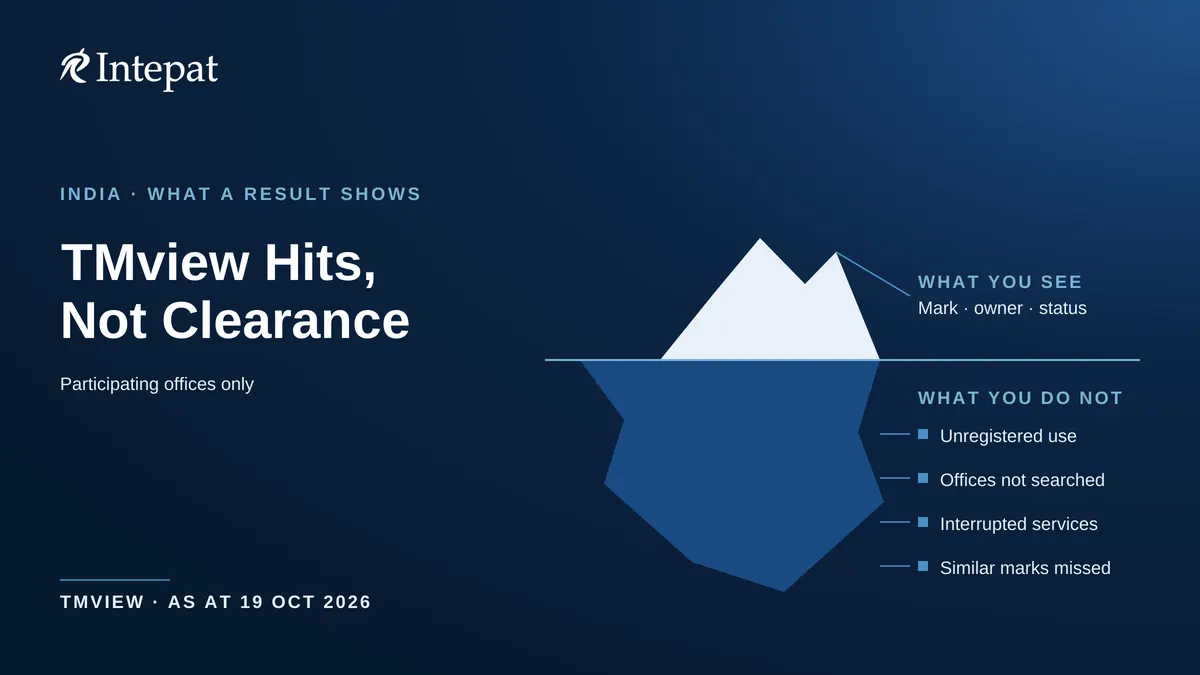
No result is not clearance. TMview shows trade mark applications and registrations held by participating offices. It does not show a mark that no participating office holds, an office that was unavailable, or a similar mark your search wording did not match. A blank screen is a reason to search more widely, not to proceed. Nor does it show unregistered use: the Trade Marks Act bars infringement actions on an unregistered mark but leaves rights of action for passing off unaffected, so a business using a name without registering it can still matter in India. Keep a dated record of what you searched, so you know what to re-check if launch or filing is delayed.
Limits of the data
TMview’s footer states that its tools “do not constitute official registers and the information contained in the tools does not have any legal effect”. That sentence sets the ceiling on how far you can lean on a result.
Treat a result as a lead, not as proof of a mark’s status. Each office owns the content it supplies, and the homepage notices show that an office’s service can be interrupted, so the office’s own record is the one to check. The footer also points to TMview’s Terms and Conditions, which this page has not reviewed.
For a decision with money or a dispute behind it, such as a launch, a licence or an opposition, confirm in the issuing office’s own register, and use a professional search. The guide to trademark clearance search strategy sets out how a search is staged.
TMview, WIPO Global Brand Database and IP India public search
The three tools answer different questions. A TMview trademark search covers the records of participating offices. The WIPO Global Brand Database covers several collections, including Madrid international registrations and trade marks from participating national and regional offices.
The Registry’s public search portal sits on the ipindia.gov.in domain and is listed on IP India’s search existing trademarks page, alongside an AI/ML trademark search.
| Tool | Run by | What it covers | Use it for |
| TMview | Coordinated and maintained by EUIPO | Marks from participating offices; see its Participating offices page | First look at foreign markets and competitors |
| WIPO Global Brand Database | WIPO | Searchable by keywords, names, numbers, goods and services and image similarity: Madrid international marks, Lisbon appellations of origin and geographical indications, 6ter emblems, WHO international nonproprietary names, and marks from participating national and regional offices | Madrid and international records in one place |
| Trade Mark Registry public search | Trade Mark Registry | Portal with Class Details, Well Known Marks, Vienna Code Classification and INN sections and a link to an AI-based search; login by one-time password | Checking an Indian mark in the Registry’s own search |
WIPO’s own page says it may be prudent to search the registers of national and regional offices as well, and adds that you may consult a trademark attorney. That is a fair rule for TMview as well. For the WIPO tool, see the guide to the WIPO Global Brand Database. For logo searches, the explainer on Vienna codes in trademark search shows how figurative elements are classified.
A sensible order for an Indian owner with export plans is the Registry’s public search for India (its portal showed a one-time-password login; the Registry’s page headed “Registered Trade Marks and Application Status Information” is the place to look for status), TMview for first looks abroad, the WIPO database where Madrid marks matter, and a professional search and clearance before filing anywhere that counts.
This article explains how TMview can be used by trademark owners in India as at October 2026 and is for general information only. It is not legal advice. Government fees, forms, and procedures change; confirm current figures with the Trade Marks Registry before you file. For advice on your specific mark, consult a trademark attorney.